Channel priority and budget limits in Google Ads: what changes and what to do before February 2027

On 14 October 2026 Google added two optional settings to Google Ads: channel prioritization and a budget limit for lower-priority channels. Here's how they work in Search, Shopping, Performance Max and Demand Gen, and what changes for Search campaigns with the Display Network in February 2027.
What changed in Google Ads?
On 14 October 2026 Google announced two new optional controls: channel prioritization and budget allocation. A channel or channel grouping can be marked high or low priority, and for low priority you can set a maximum share of the daily budget. The controls come to Search, Shopping, Performance Max and Demand Gen campaigns, work at account and campaign level and with shared budgets. They roll out gradually over the coming months; Google gives no exact dates per market.
How do priority and limits work?
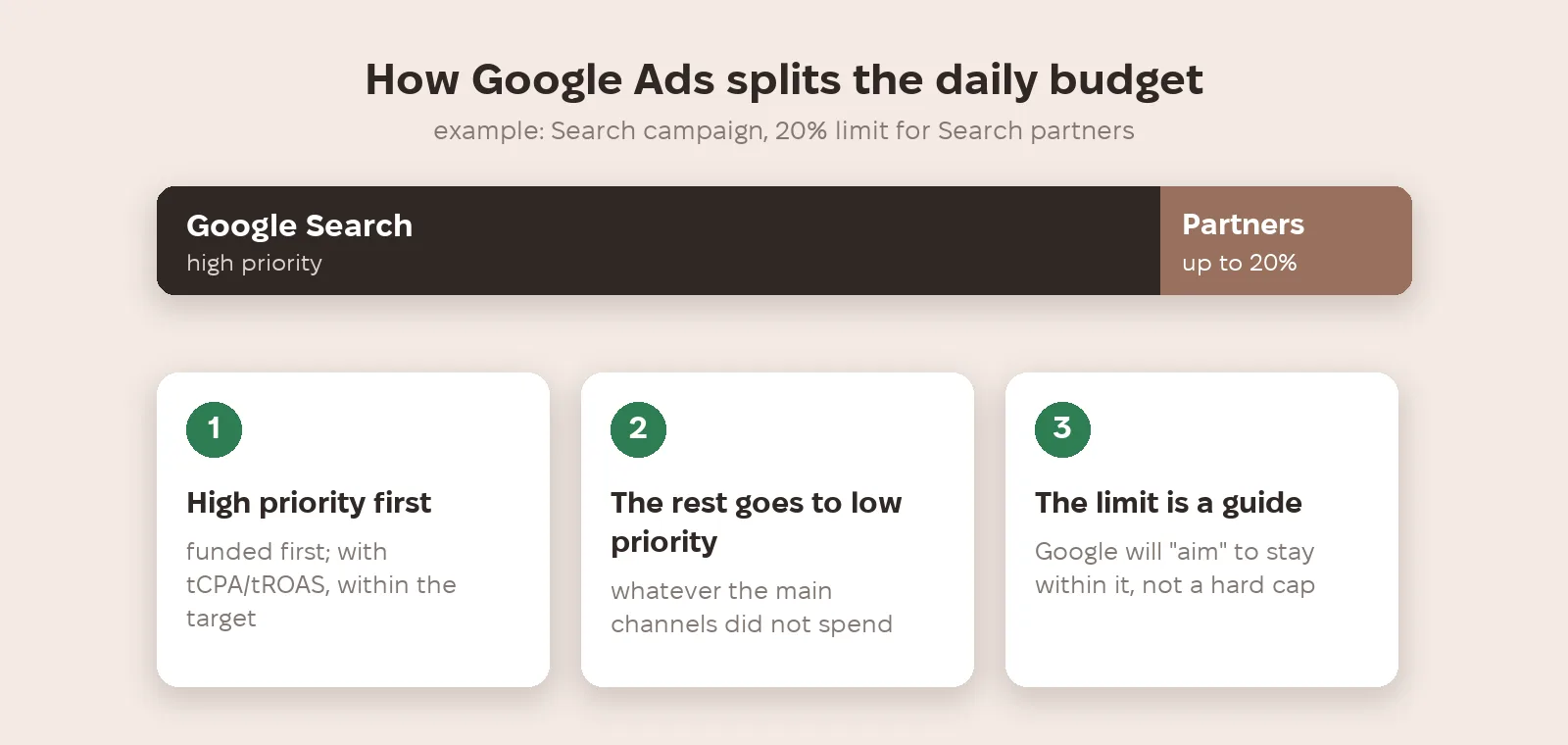
High-priority channels are funded first; if the campaign bids to a target CPA or target ROAS, they're funded within that target. The remaining budget goes to low-priority channels. For those you can set a limit as a percentage of the daily budget, but Google will only "aim" to keep spend within it — it's a guide, not a hard cap. In Search, Google Search, Search partners and the Display Network are set separately. In Performance Max and Demand Gen, Search, YouTube, Maps, Gmail and Discover are grouped as "Google channels" and prioritised only together.
What changes in February 2027?
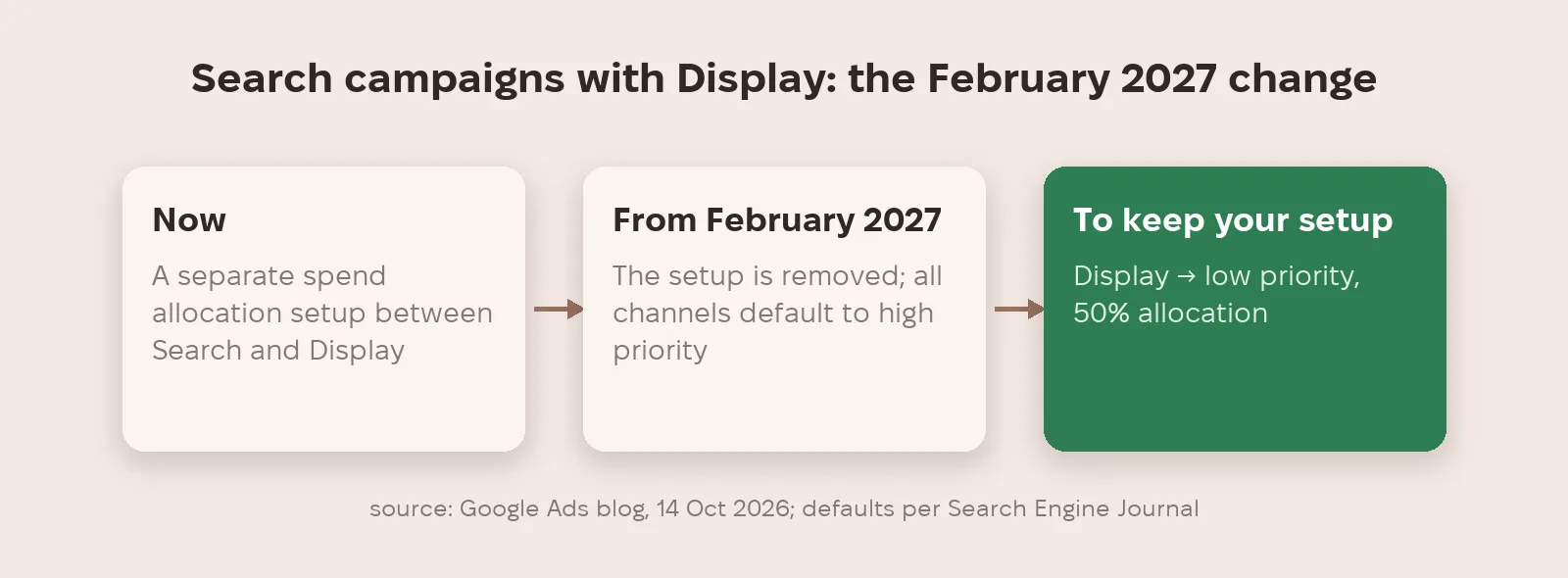
From February 2027 Google will remove the current spend allocation setup for Search campaigns with the Display Network turned on, and spend between networks may shift. To keep your current setup, Google suggests setting the Display Network to low priority with a 50% allocation. According to Search Engine Journal, reporting from Google's press roundtable, every channel will default to high priority and there will be a one-click migration. So if you change nothing, the Display Network gets the same priority as Search.
When is it actually useful?
Priority on its own changes little for target CPA or target ROAS campaigns that aren't budget-limited — for them the percentage limit is what matters. The second benefit: channels you once switched off completely, such as Search partners or the Display Network, can now be tested with a limited share of budget instead of being switched fully back on. Google explicitly ties these controls to the run-up to the holidays, when budgets grow.
What to do now
- Find Search campaigns with the Display Network turned on — they're the ones the February 2027 change affects.
- To keep your current setup, set the Display Network in them to low priority with a 50% allocation, as Google suggests.
- Don't switch disabled channels fully back on: give Search partners low priority and a small budget share, and compare cost per conversion with Google Search.
- In Performance Max and Demand Gen, remember that Search, YouTube, Maps, Gmail and Discover are controlled only together, as "Google channels".
- After any change, check the actual spend split: the limit is a guide, not a hard cap.
Metriverra shows spend and conversions for every Google Ads campaign daily, so after changing priorities you can see how money and cost per conversion shifted.
In short
- New controls: channel priority (high/low) and a budget limit for low priority.
- Available in Search, Shopping, Performance Max and Demand Gen, at account and campaign level.
- The limit is a guide: Google will "aim" to stay within it.
- From February 2027 spend allocation changes for Search campaigns with the Display Network; to keep it — Display low priority, 50%.
- In PMax and Demand Gen, Google channels are prioritised only as a group.
Sources: Google — Channel prioritization and budget allocation in Google Ads (14.10.2026) · Search Engine Journal — Google Ads introduces channel prioritization and budget allocation (14.10.2026)