A/B testing in ads: what to test first and how Google Ads experiments pick a winner

Comparing before and after against last month is the most common mistake in advertising. Here's how Google Ads experiments work according to the official help centre: which campaigns you can test, how budget is split and how a winner is chosen, and the order to test in.
What can you test with Google Ads experiments?
According to Google's help centre, custom experiments let you test changes to a campaign against the original. They're available for Search, Display, Video and Hotel campaigns; Shopping and App campaigns don't support them, though App campaigns have separate asset experiments. You can schedule up to five experiments, but only one runs at a time.
How does Google split traffic and pick a winner?
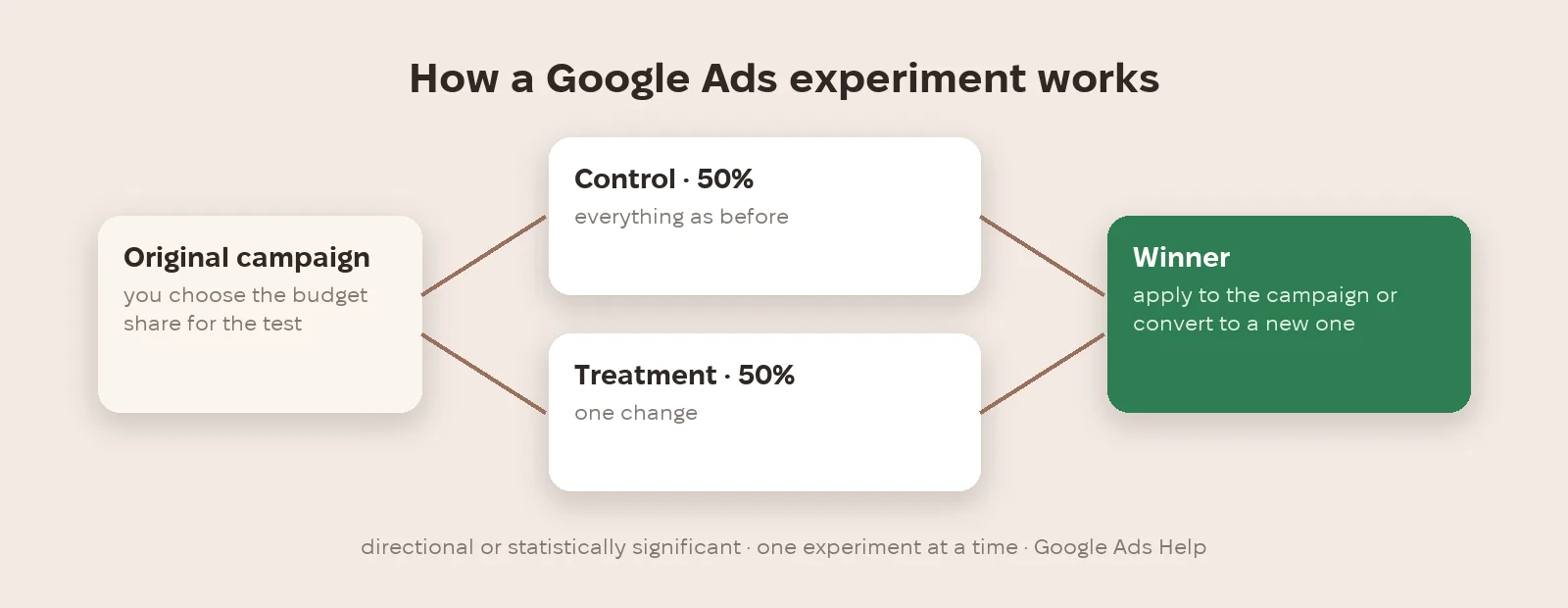
You choose what share of the campaign budget goes to the experiment, and the budget is split evenly between the control and treatment arms. For Search you can split by cookies or by searches; Display always uses cookie splits. You can pick the winner on directional results or require statistical significance. For cookie splits with audience lists Google recommends at least 10,000 users, or results may be less accurate. You can apply the winning changes to the original campaign or convert the experiment into a new campaign.
What should you test first?
Our recommendation is to start with what moves money most and change one thing at a time. First the bid strategy and conversion goal. Then the landing page. Then ad text and creatives. And separately, new automated features: whether to switch on AI Max, for example, is better tested in an experiment than across the whole campaign at once (more in our article on AI Max and the DSA upgrade).
How do you avoid fooling yourself?
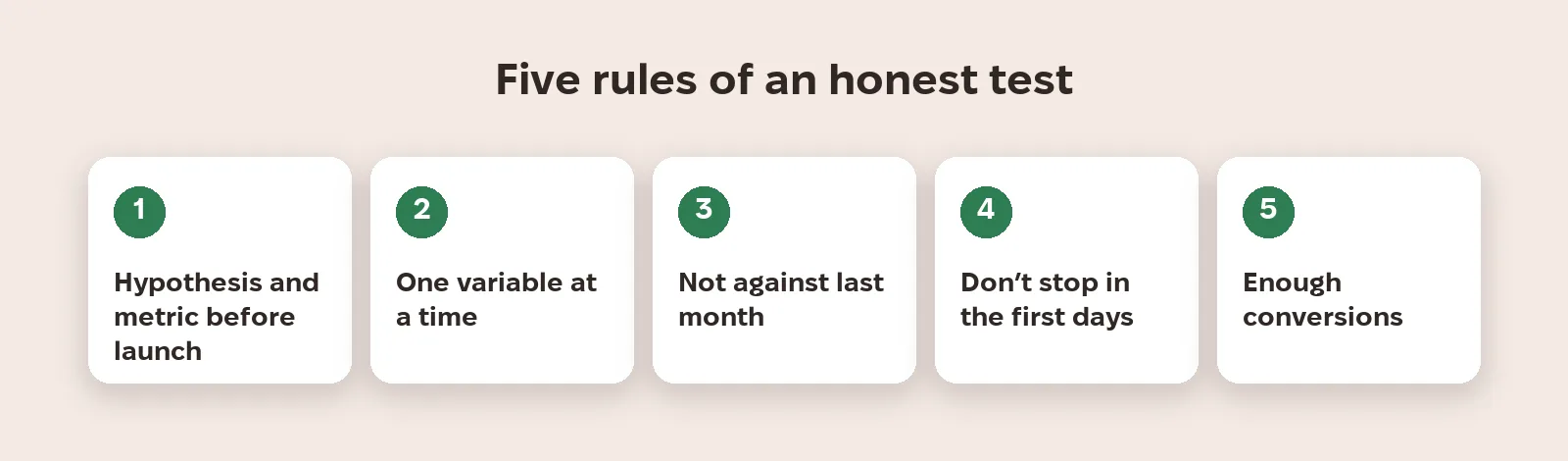
Don't compare results with last month: season, prices and competitors change on their own. That's why Meta, in its peak-season advice, recommends judging changes with an A/B test or Conversion Lift rather than by comparing periods (see our article on peak season in Meta). Write down the hypothesis and metric before you start, don't end the test in the first days, wait for enough conversions and change only one variable, or you won't know what actually worked.
What to do now
- Write down the hypothesis and main metric before launch: what you're changing and what counts as success.
- Change one variable at a time: bids, landing page, ad text or audience.
- In Google Ads, use experiments with a 50/50 budget split rather than comparing campaigns by hand.
- Pick the winner on statistical significance when you have enough conversions.
- Don't end the test in the first days and don't compare with last month.
Metriverra shows campaign results daily, so you can compare the control and treatment arms on spend, conversions and revenue.
In short
- Google Ads experiments cover Search, Display, Video and Hotel campaigns, not Shopping or App.
- Budget is split evenly between control and treatment; one experiment runs at a time.
- Winner by directional results or statistical significance; cookie splits with lists need 10,000+ users.
- Test order: bids → landing page → creatives → new automated features.
- Meta advises judging changes with an A/B test or Conversion Lift, not by comparing periods.
Sources: Google Ads Help — About custom experiments · Meta for Business — Peak Season 2026: You Don't Beat The Auction. You brief it. (21.10.2026)