How to raise average order value: bundles, free shipping thresholds and related products

Average order value doesn't grow from promises of +30% but from mechanics shoppers see on your site and in Google. Here's how to calculate it correctly in GA4, which mechanics work, how to show them in Merchant Center and how to verify the effect.
How do you calculate average order value correctly?
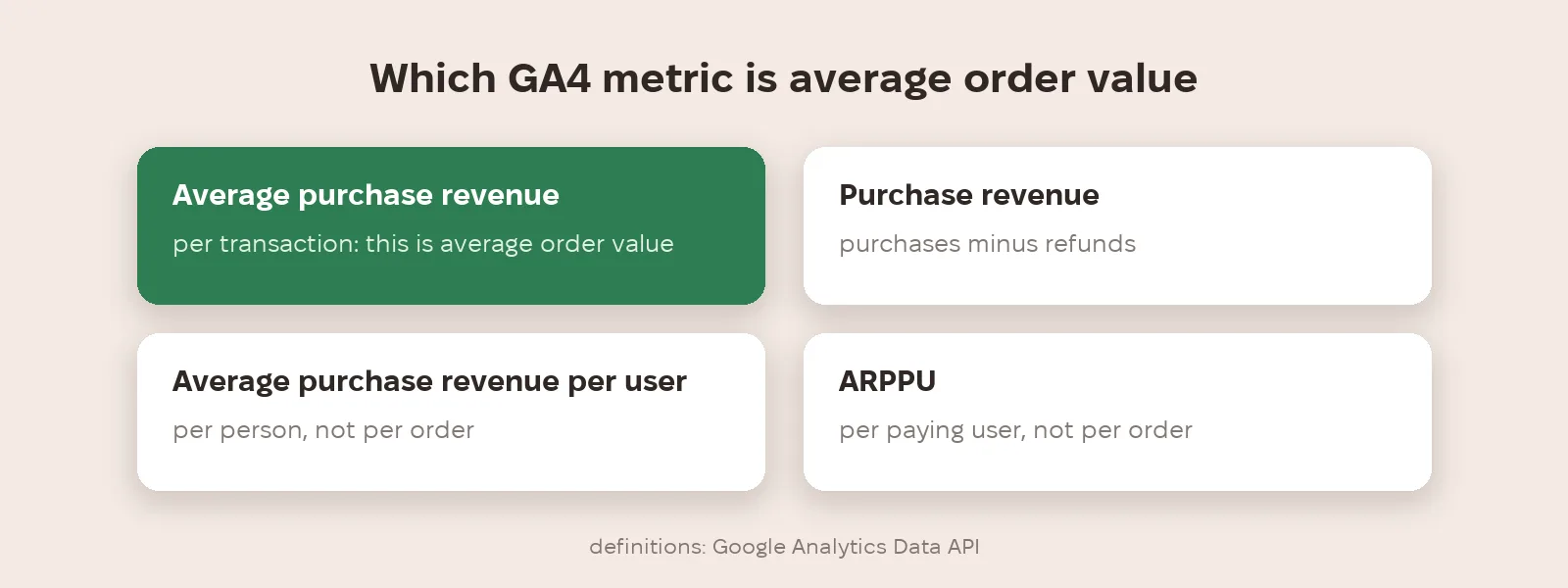
GA4 has several similar metrics that are easy to mix up. Average purchase revenue is the average purchase revenue in the transaction group of events, roughly revenue divided by purchases. Purchase revenue is the sum of purchases minus refunded transactions. Average purchase revenue per user and ARPPU are calculated per person, not per order. For average order value, use revenue per transaction and check it against your store or CRM data.
Which mechanics raise order value?
There are only a few mechanics that work. Bundles: the main product plus what people usually buy with it. A free shipping threshold slightly above your current average order value, so it's worth adding one more item. Related products and accessories on the product page and in the cart. Multipacks of the same product. We don't promise specific uplift percentages: the effect depends on range and price and has to be checked on your own data.
How do you show them in Google?
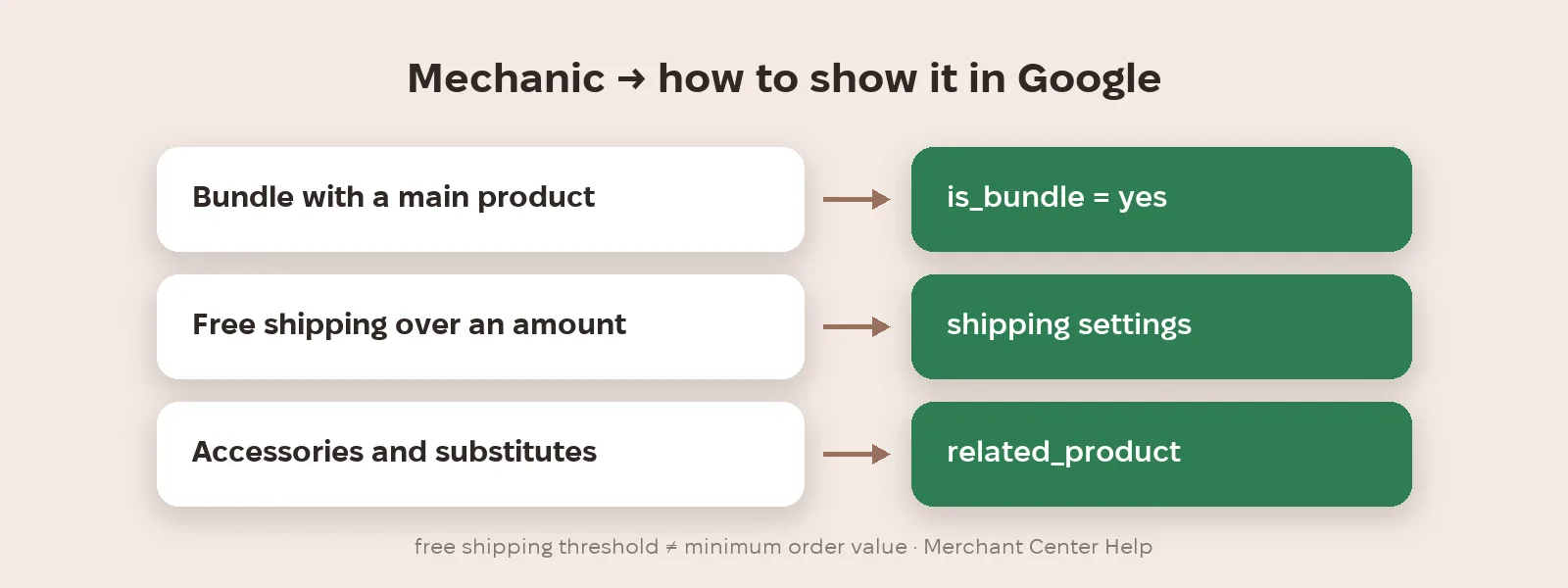
In Merchant Center, bundles are marked with the is_bundle attribute: yes for a custom bundle that includes a main product; don't submit it for manufacturer-defined bundles. According to Google's help, it's required for such bundles in free listings and, in Shopping ads, in several countries including the US, UK and Germany. The free shipping threshold is set in shipping settings as free shipping over a specific order value; Google warns not to confuse it with a minimum order value, which you set only if you don't ship small orders at all. Links to accessories and substitutes can be sent with the related_product attribute (more in our article on product feeds for AI shopping).
How do you check order value really grew?
Don't look at average order value alone. A higher shipping threshold can raise order value but cut the number of orders, and bundles can increase returns. So compare average purchase revenue, transactions, total revenue and margin together. The most reliable way is an A/B test: one group sees the new threshold or bundles, the other doesn't (how to test properly is in our article on A/B testing in ads).
What to do now
- Calculate your current average order value in GA4 as average purchase revenue and check it against your store.
- Build 3–5 bundles from your best sellers and what people buy with them.
- Set a free shipping threshold slightly above current average order value and add it in Merchant Center.
- Mark custom bundles with is_bundle and send related products in the feed.
- Verify with an A/B test: order value, number of orders, revenue and margin together.
Metriverra shows average order value, orders and revenue daily next to your ads, so after changing the shipping threshold or bundles you can see what changed.
In short
- Average order value in GA4 is average purchase revenue, not revenue per user.
- Mechanics: bundles, shipping threshold, related products, multipacks.
- Custom bundles in Merchant Center: is_bundle = yes; manufacturer bundles: no attribute.
- A free shipping threshold ≠ minimum order value.
- Judge order value together with orders and margin, ideally via an A/B test.
Sources: Google Analytics Data API — metrics · Merchant Center Help — Bundle [is_bundle] · Merchant Center Help — Manage your shipping settings