Site speed in 2026: Core Web Vitals, the official thresholds and our own mobile blog case

The server responded in 0.23 seconds, yet articles didn't appear on phones at all. Here are the official Core Web Vitals thresholds, what Google says about their effect on Search, and our own case: how we found the cause, cut cover images from about 2 MB to 213 KB, and what to check on your site.
Which speed metrics does Google treat as core?
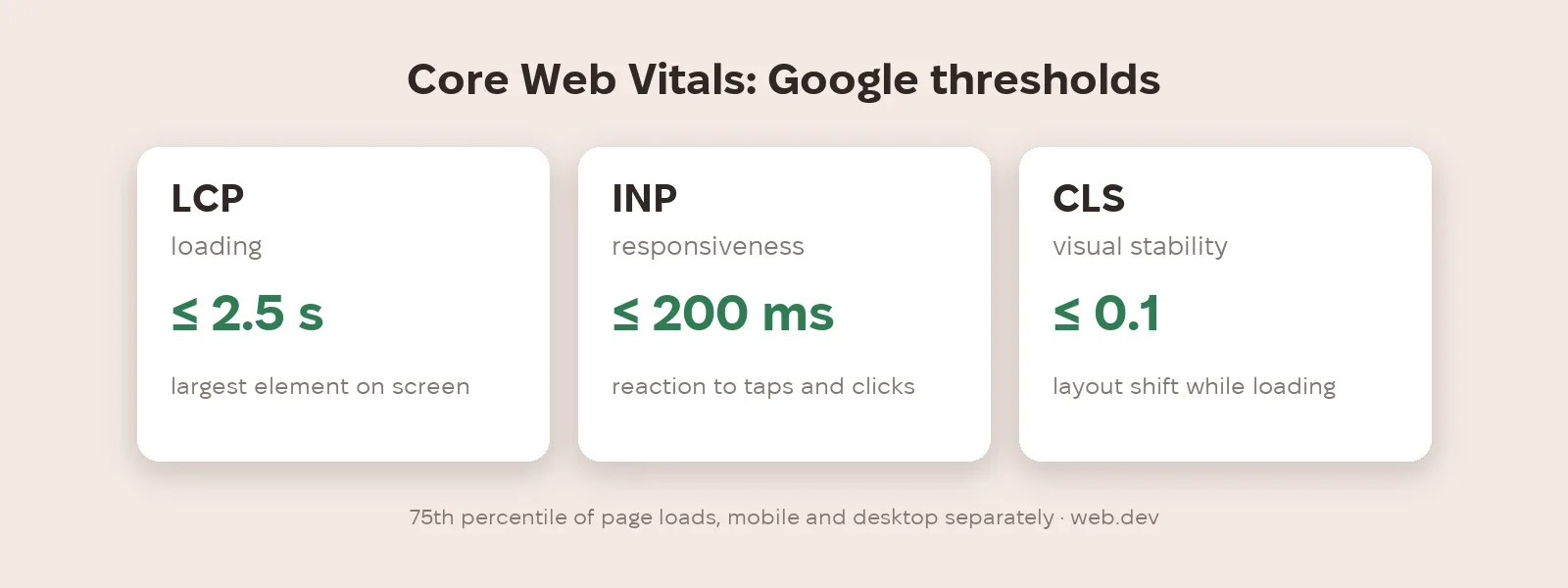
Core Web Vitals are three metrics. LCP (loading): the largest element should appear within 2.5 seconds. INP (responsiveness): the page should respond to interactions within 200 milliseconds. CLS (visual stability): layout shift of 0.1 or less. They're measured at the 75th percentile of page loads, separately for mobile and desktop, and a page passes only if all three are good. INP replaced FID in 2024. Web.dev states that stable metrics won't change more than once a year, so the new 2026 thresholds some blogs mention aren't confirmed by Google.
Does speed affect search rankings?
Google says Core Web Vitals, along with other page experience aspects, align with what its core ranking systems seek to reward, and highly recommends achieving good scores. Google gives no separate weight for speed in ranking, so it's not a magic button but one of the conditions. Real user data is in the Core Web Vitals report in Search Console.
What did we find on our own site?
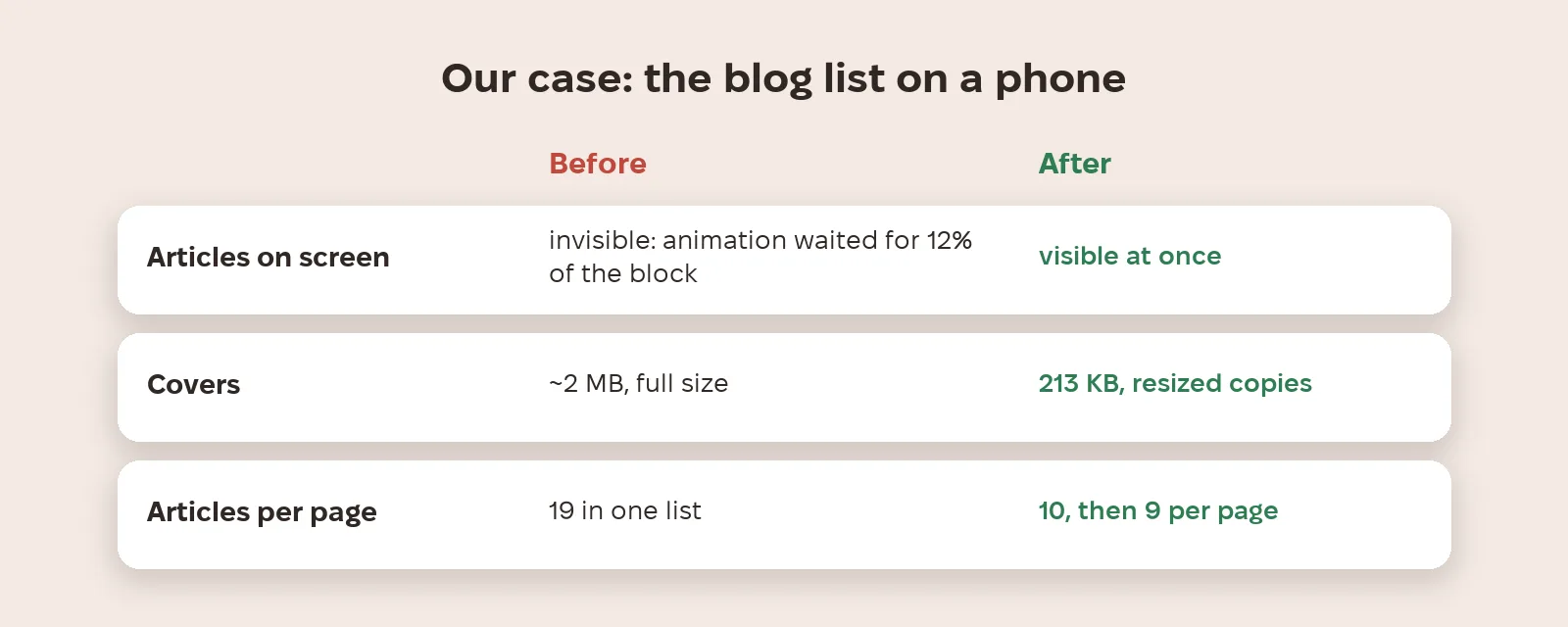
On 11 November 2026 we opened the Metriverra blog on a phone and the articles took very long to load. Measurements showed the server responded in 0.23 seconds, so it wasn't the server. The list of 19 articles was one block with a reveal animation that fired when 12% of the block was on screen. On a phone the block was 8,509 pixels tall and the screen 844, just 9.9%, so the threshold was never reached and the articles stayed invisible. On top of that, covers were served at full size, about 2 MB per list. We removed the animation from the list, paginated it into pages of 10 and 9, and now serve resized covers: 12 covers weighed 213 KB instead of about 2 MB.
What should you check on your site?
Open the Core Web Vitals report in Search Console and start with mobile pages. Check pages in a real mobile viewport, not just server response time: content hidden until a script fires simply won't be seen. Serve images sized for the screen (srcset) and lazy-load images below the fold, but not the main image. Reserve space for images so the layout doesn't jump. And remember that heavy scripts and tags hurt responsiveness, which is INP.
What to do now
- Open the Core Web Vitals report in Search Console and start with mobile URLs.
- Check key pages in a mobile viewport: is content visible without waiting for animations and scripts?
- Serve images sized to the screen and resized copies for lists and cards.
- Don't lazy-load the main above-the-fold image, only the ones below.
- Check the metrics after every major site change, not once a year.
Metriverra shows visitor behaviour and conversions daily, so after a speed change you can compare bounces and sales before and after.
In short
- Google's thresholds: LCP ≤ 2.5 s, INP ≤ 200 ms, CLS ≤ 0.1 at the 75th percentile.
- Stable metrics change no more than once a year; new 2026 thresholds aren't confirmed by Google.
- Google: Core Web Vitals align with what core ranking systems seek to reward.
- Our case: server at 0.23 s, but articles were invisible on phones because of an animation.
- List covers: ~2 MB → 213 KB.
Sources: web.dev — Web Vitals · Google Search Central — Understanding Core Web Vitals and Google search results