Qualified leads in Meta: train your ads to bring customers, not just form fills

Standard lead optimisation teaches Meta to collect form fills, not customers. Qualified lead optimisation (Conversion Leads, now shown as Qualified Leads) uses stages from your CRM to find people who actually reach a deal. Here are Meta's requirements and how to launch it.
How is a form fill different from a qualified lead?
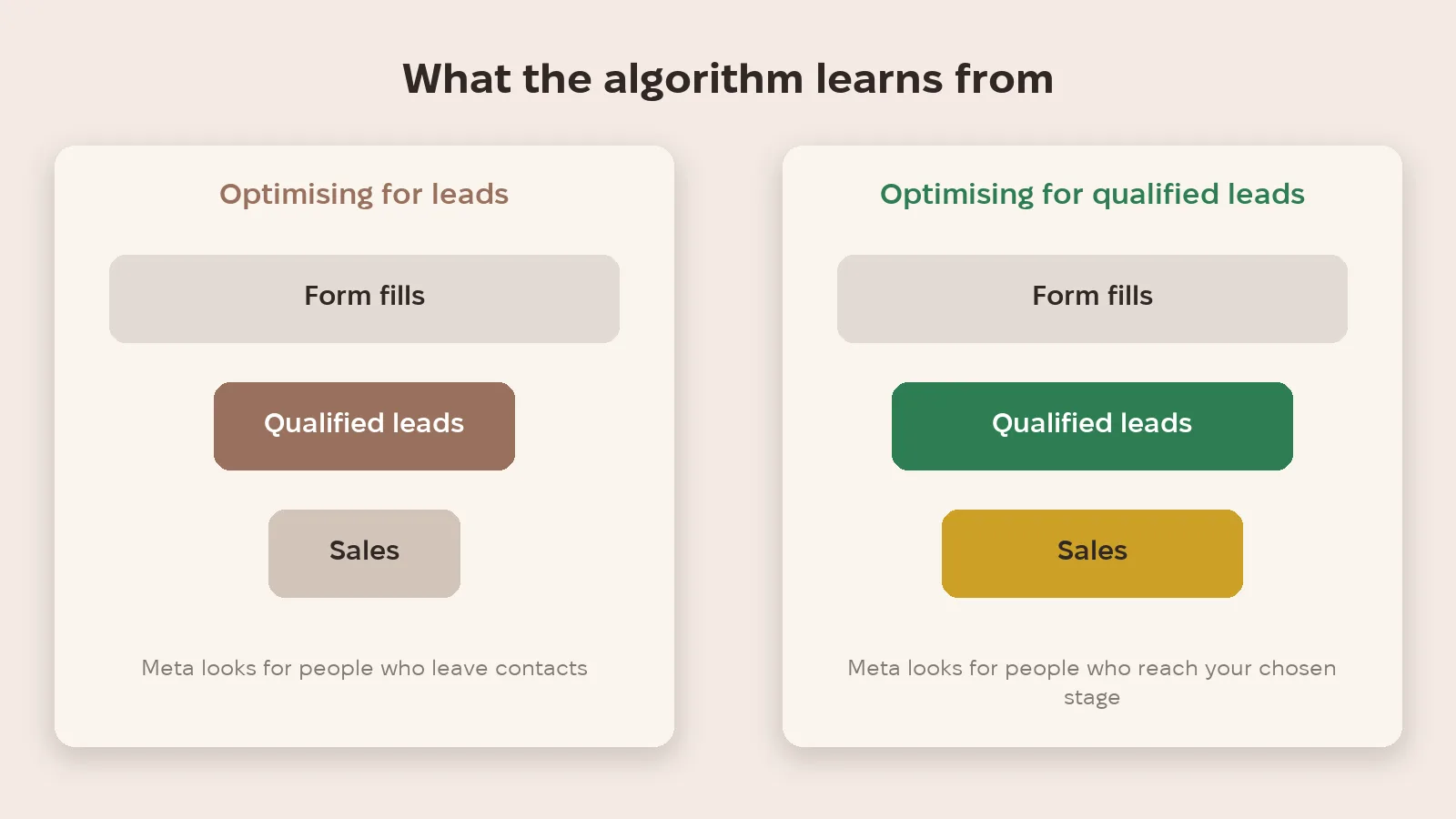
When a campaign optimises for leads, Meta looks for people who happily leave their details. There are plenty of them, but some never answer the phone or have no intention to buy. Qualified lead optimisation trains the algorithm on a different signal: which leads reached the stage you care about, such as "qualified" or "sale".
How does CRM data get back to Meta?
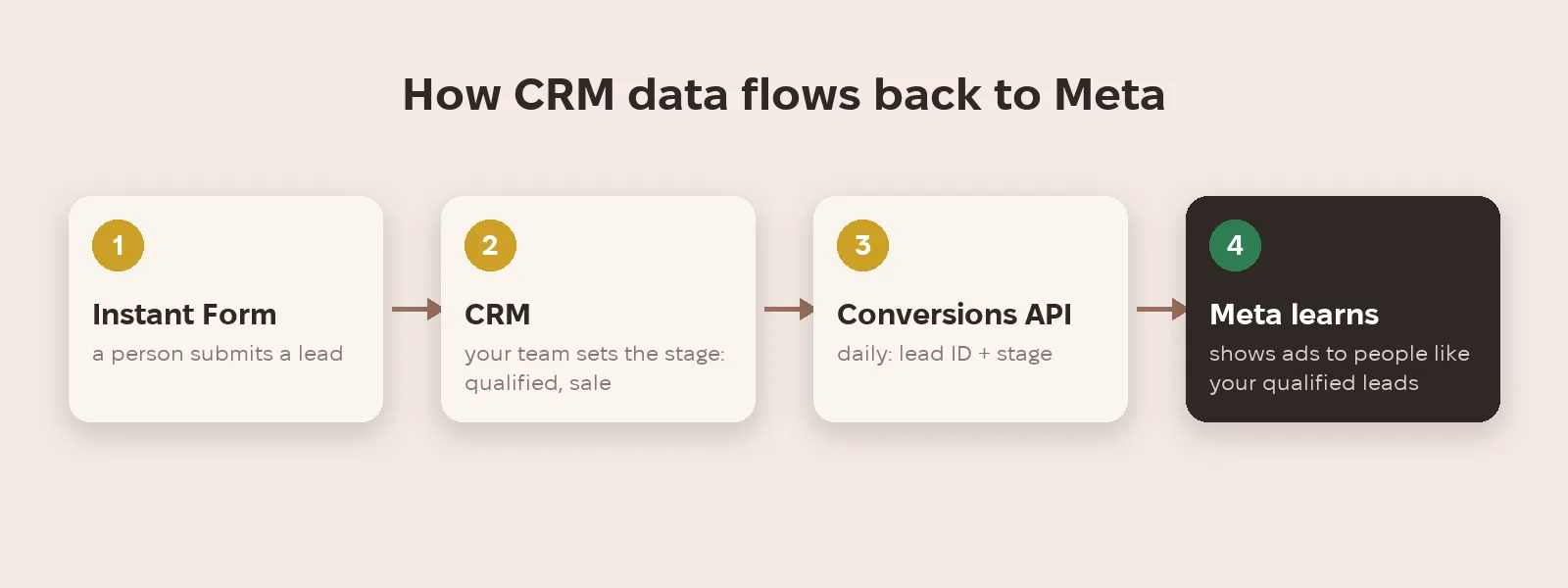
Your team marks the deal stage in the CRM, and the CRM sends Meta the lead ID and that stage through the Conversions API. Meta learns which leads turned out valuable and shows ads to similar people.
What does Meta officially require?
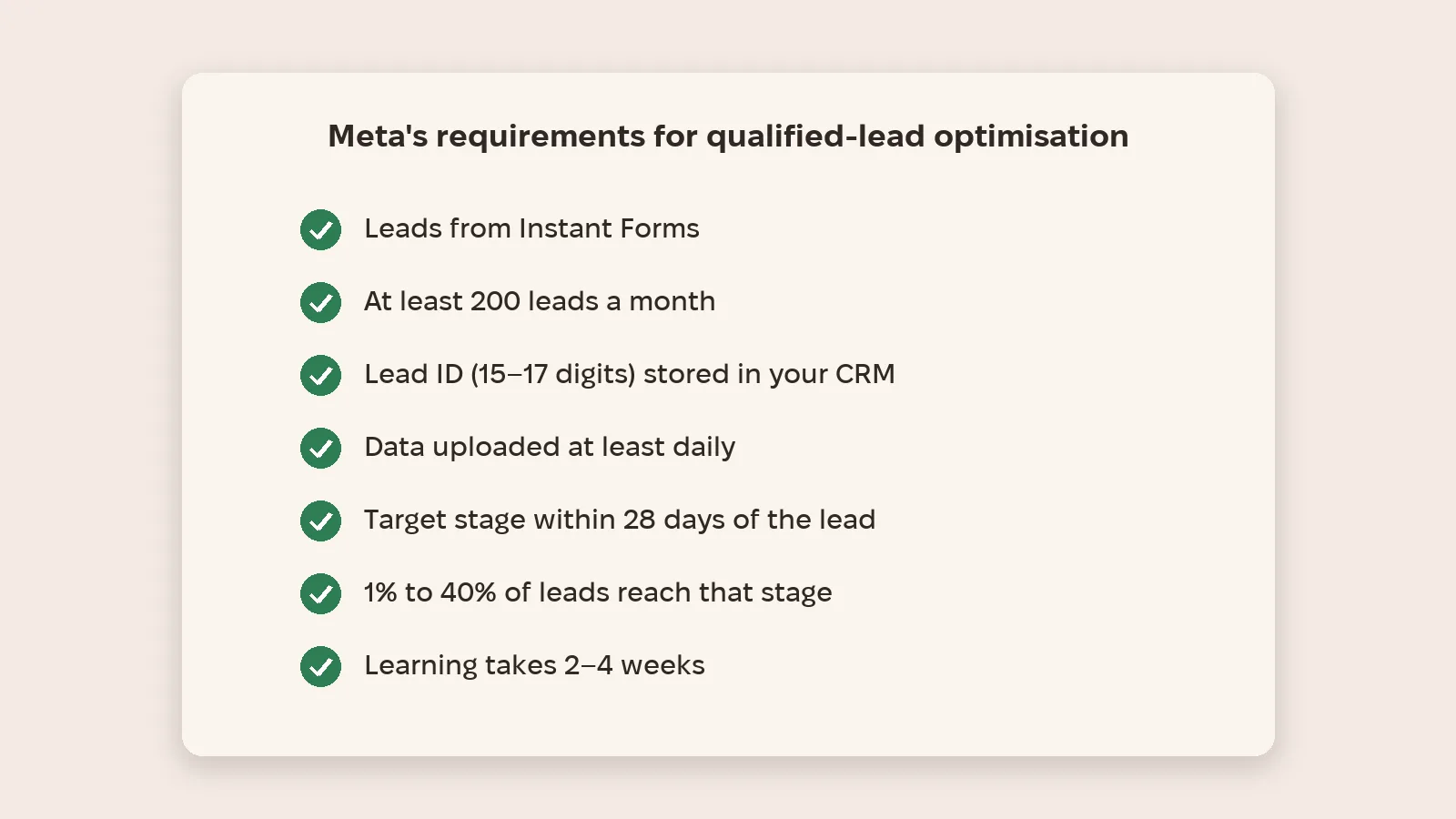
According to Meta's developer documentation, the goal works with Instant Forms. You need at least 200 leads a month, the Lead ID (15–17 digits) stored in your CRM and data uploaded at least daily; the target stage must happen within 28 days of the lead, and 1% to 40% of leads should reach it.
What changed in 2026?
In Ads Manager the goal is now called "Maximize number of qualified leads". According to industry sources such as Jon Loomer, for website form leads Meta is testing Sequenced Events: a lead counts as qualified only if a specified, more valuable event happens after it. Meta hasn't published a help article on this yet, so check what you see in your own account.
How to start
- Define what a qualified lead is for you: write down the criteria and create that stage in your CRM.
- Store the Lead ID of every Instant Forms lead in your CRM.
- Send stages through the Conversions API: via Zapier or a partner integration in under a day, or about 3–4 weeks with your own development.
- Wait for Meta's data check: usually 1–2 days.
- Launch a campaign with the qualified leads goal and leave it alone for 2–4 weeks while it learns.
Metriverra shows Meta ad spend next to leads and sales, so you can see what a qualified lead really costs, not just a form fill.
In short
- Lead optimisation finds people who leave contacts; qualified lead optimisation finds people who reach a deal.
- CRM stages go to Meta through the Conversions API with the Lead ID.
- Requirements: Instant Forms, 200+ leads a month, daily data, stage within 28 days, 1–40% of leads.
- Learning takes 2–4 weeks — don't touch the campaign.
- Shown in Ads Manager as Qualified Leads; Sequenced Events for websites have no official help article yet.
Sources: Meta for Developers — Conversion Leads Integration · Jon Loomer — Meta Sequenced Events